CROSSFADE JbTecWiz / Software Store Download free
Free DJ software for Windows

Mix like you own the room.

CROSSFADE is a complete DJ studio: four decks, AI stem separation, karaoke, video mixing and live streaming. Free, with no account to make and no adverts.

Windows 10 & 11 · 64-bit · free
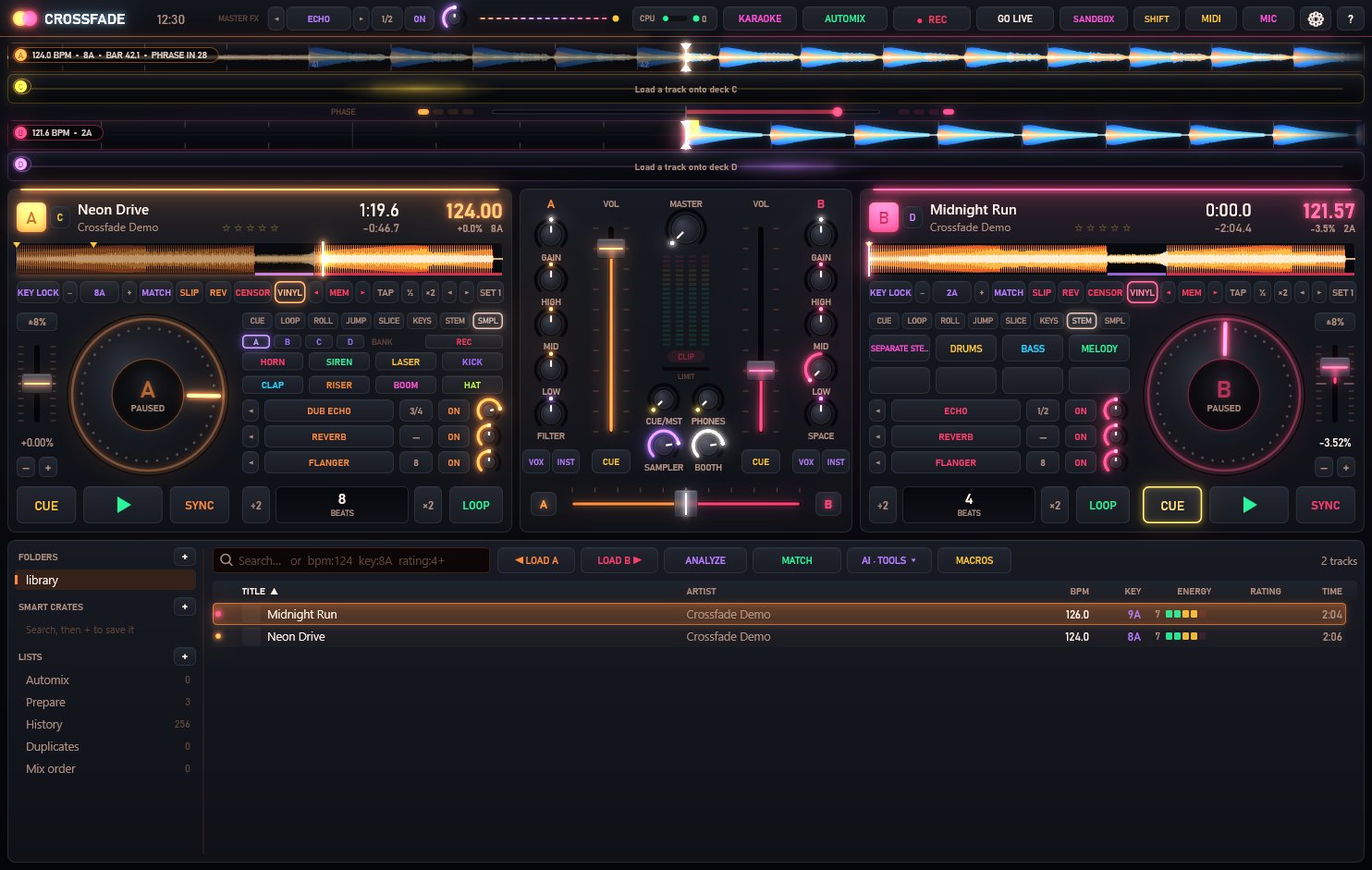
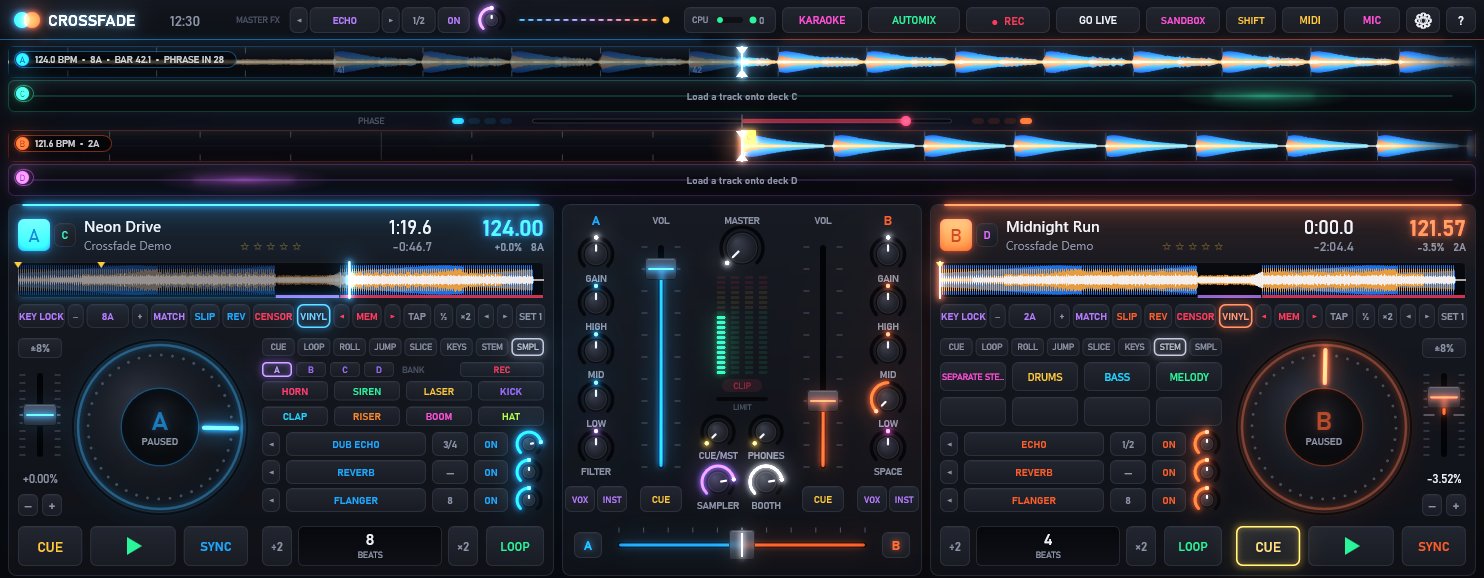
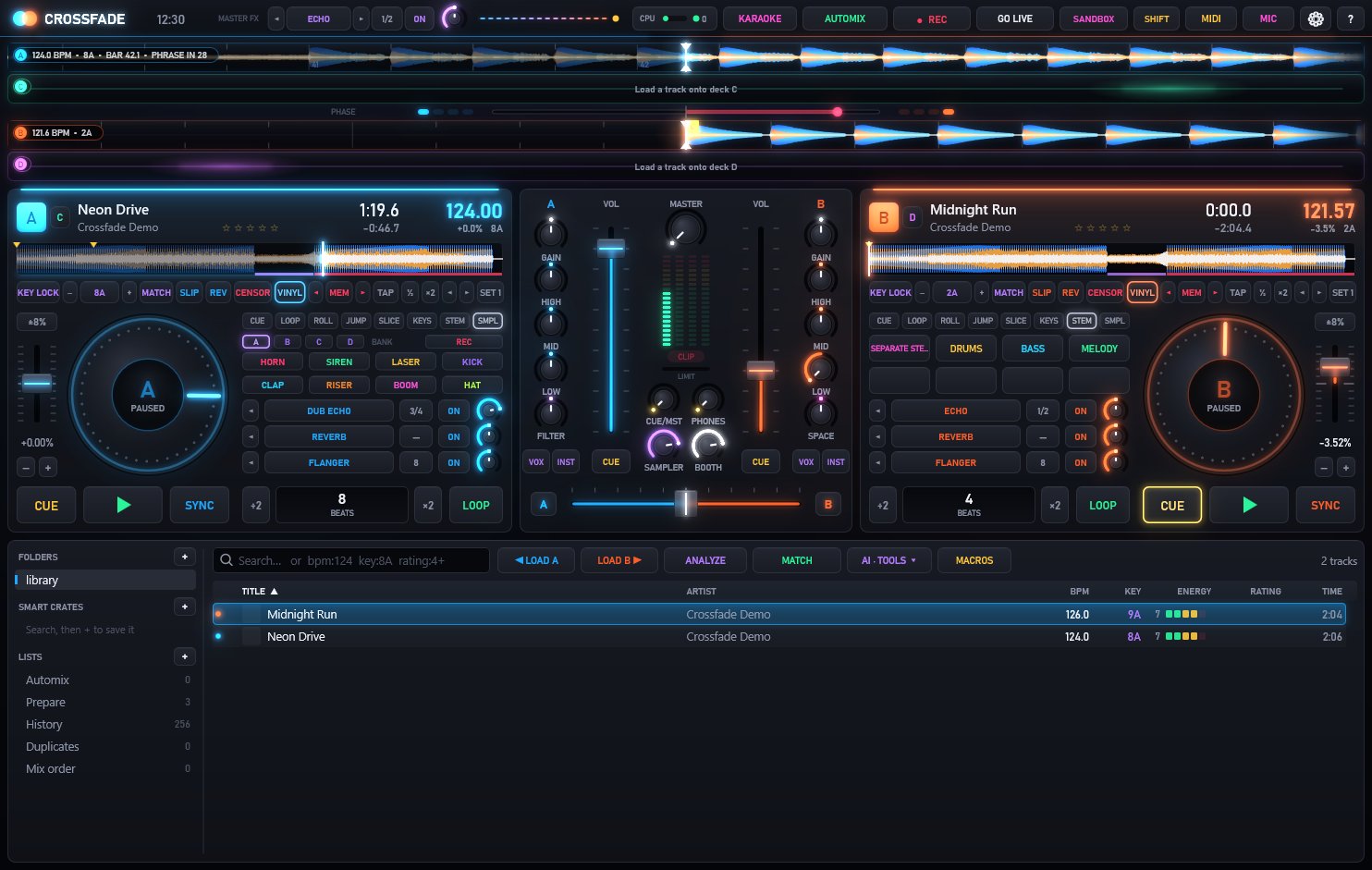
CROSSFADE's main screen: two decks with scrolling waveforms, platters and performance pads either side of a mixer with EQs, filters and a crossfader.
AI stemsvocals · drums · bass · melody
Karaokewords light up as you sing
Go liveYouTube · Twitch · Icecast
Auto-mapany MIDI controller
4Decks
4AI stems
18Effects
10Visualisers
5Languages
£0Forever
Hear it

Mix two tracks, right here.

Both of these tracks were made by CROSSFADE itself (it ships with them, so there's something to mix the moment it opens). Play deck A, bring in deck B, press SYNC and slide across — or let AUTOMIX do the whole transition.

Neon DriveCrossfade Demo · 8A
124.0BPM
Press play — about 2.5 MB of audio loads first
Midnight RunCrossfade Demo · 9A
126.0BPM
Press play — about 2.5 MB of audio loads first
8A → 9A — a perfect harmonic mix, one step round the Camelot wheel Ready when you are
What's inside

Everything a DJ needs.
Nothing you have to pay for.

The things other DJ apps sell as add-ons or subscriptions are simply in CROSSFADE.

AI stems

Pull any song apart, live.

Load a track and CROSSFADE separates it into vocals, drums, bass and melody — on your own PC, using your graphics card when it can. Drop the vocal out for a mashup, solo the acapella, or put an effect on just the hi-hats.

VOCALS DRUMS BASS MELODY KICK HATS
  • Acapella and instrumental in one press — press again and everything's back
  • Effects on a single stem — right-click a stem pad
  • No upload, no account — the AI models are installed with the app
The main screen with deck B's pads switched to stems: DRUMS, BASS and MELODY.
Perform

Pads, loops and 18 effects that know the beat.

Eight hot cues per deck, beat loops and rolls, a slicer, key pads and a four-bank sampler. Effects lock to the tempo — an echo on the half-beat, a flanger sweeping over eight beats — and the filter knob can become a sweep or a noise wash.

  • Echo, reverb, flanger, phaser, crush, gate, auto-wah, brake, backspin, stutter, dub echo and more
  • Slip mode, reverse, censor and instant doubles
  • SANDBOX: rehearse the next mix in your headphones while the crowd hears the one playing, untouched
CROSSFADE in the Ember skin, showing the sampler bank, effect slots and beat-synced FX knobs.
Smart mixing

Beatgrids you can trust.

Every track is analysed for tempo, key and phrasing when it loads. SYNC matches tempo and lines up the beats. Live-played records that drift get a bent grid with pins, so the beats stay locked all the way through.

  • Keys in Camelot or musical notation, with key lock and key match
  • Intros, drops, breakdowns and outros found for you
  • AUTOMIX with four transition styles — and it mixes out on the phrase, not mid-verse
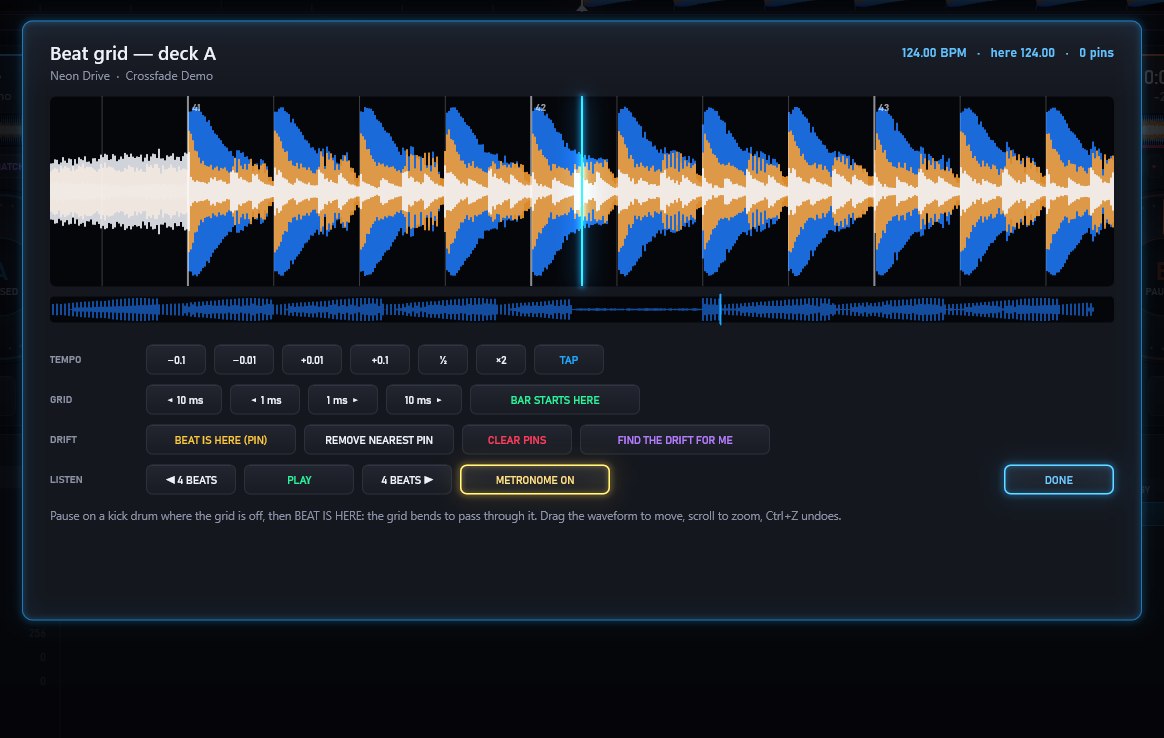
The beat grid editor: a zoomed waveform with beat lines, tempo nudges and drift pins.
Karaoke

A karaoke night, built in.

Singers join the rotation, CROSSFADE turns their vocal down with the AI stems, and the words light up word by word on a second screen. Lyrics come from LRC and CD+G files, the track's own tags, or the free LRCLIB lyrics library.

  • Vocals off, or a quiet guide vocal to sing along to
  • Each singer's key remembered for their next go
  • Break music between singers, count-ins and a webcam on the big screen
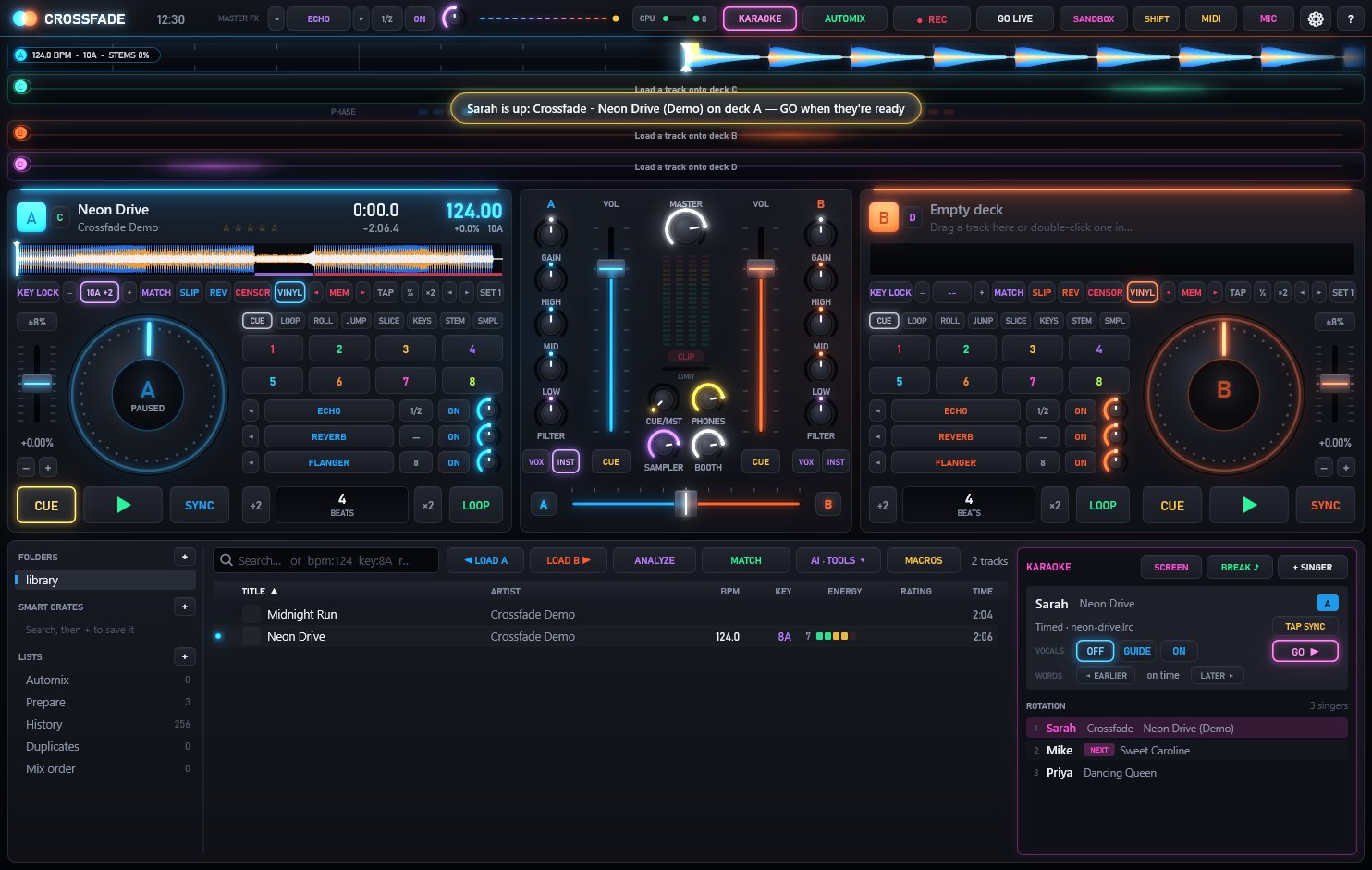
The karaoke panel beside the library: the singer on stage, vocal guide buttons and the rotation of three singers.
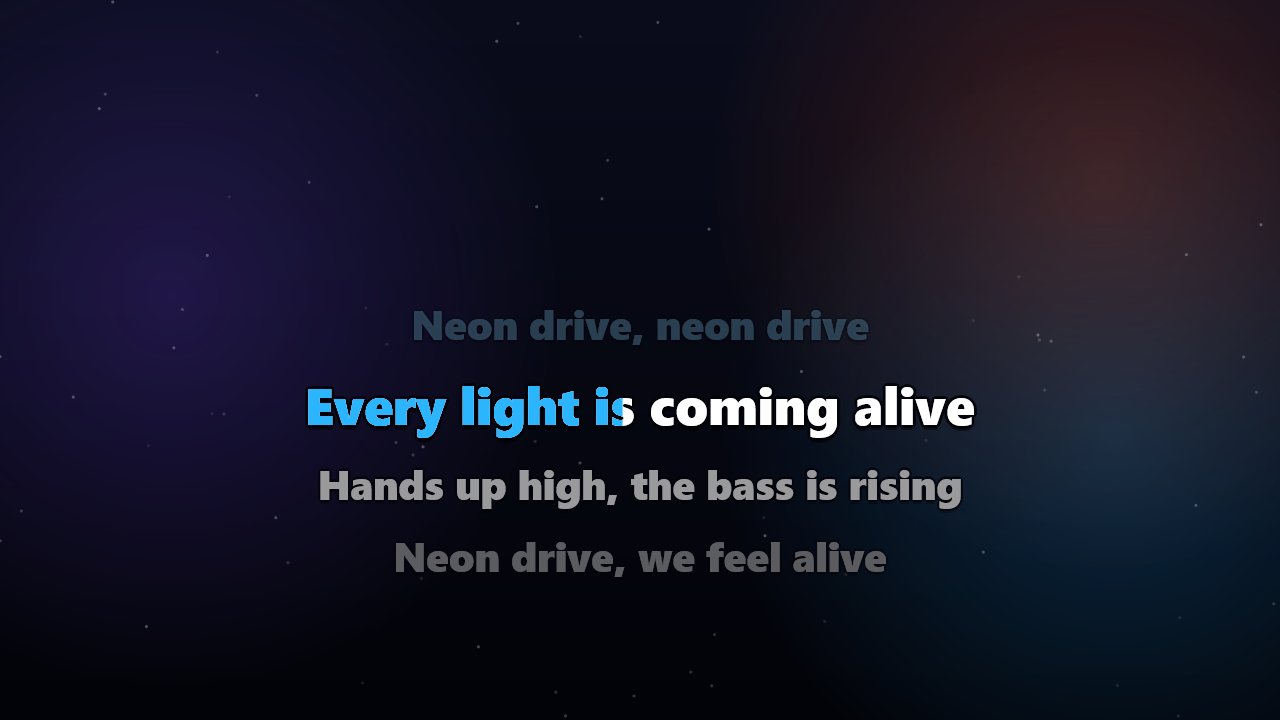
The karaoke screen with the current line lighting up word by word in blue.
Go live

Stream it. Record it. Keep it.

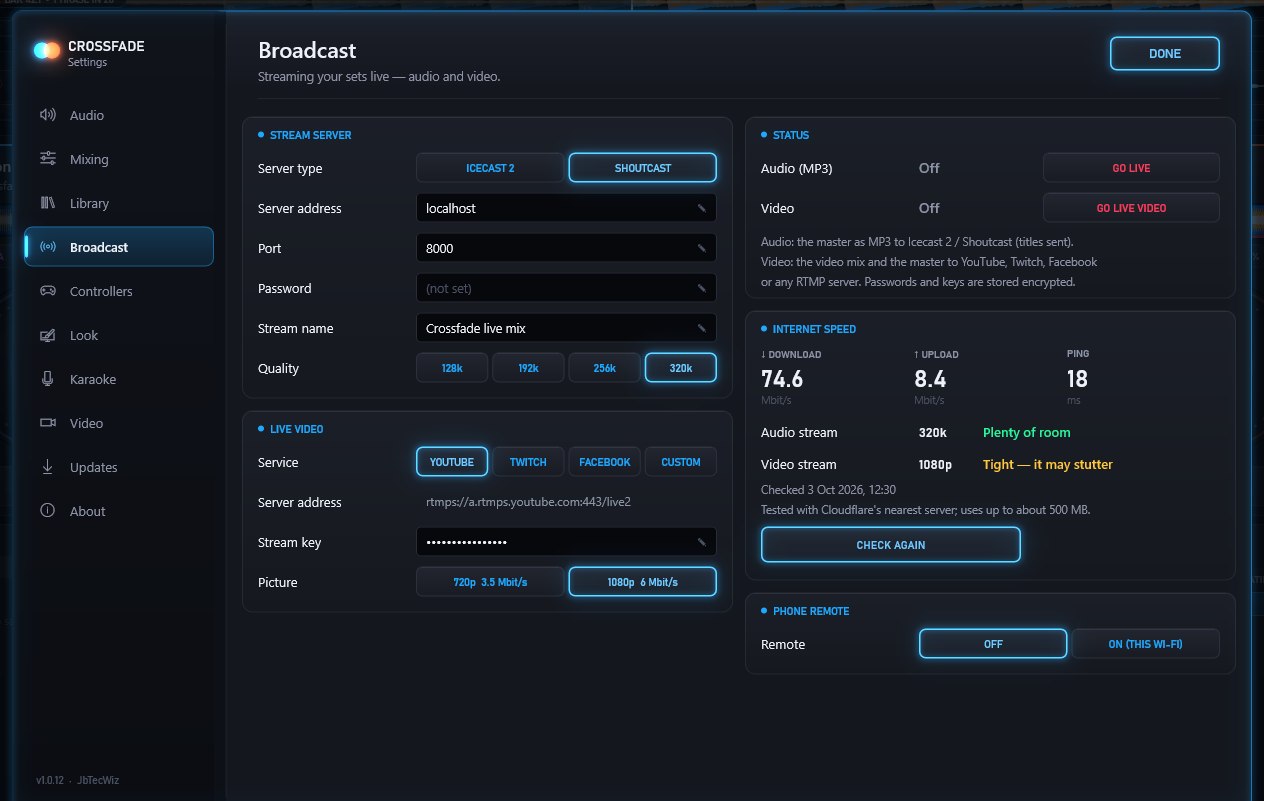
Broadcast your mix to an Icecast or Shoutcast radio server, or go live with video on YouTube, Twitch, Facebook or any RTMP service. A built-in speed check tells you whether your connection will keep up before you start.

  • Track titles sent to your listeners as you play
  • Record to WAV, MP3 or FLAC with a timed tracklist ready to paste
  • Recordings are crash-safe — a power cut still leaves a playable file
Settings, Broadcast: stream server, live video service and the internet speed check result.
Controllers

Plug in and play.

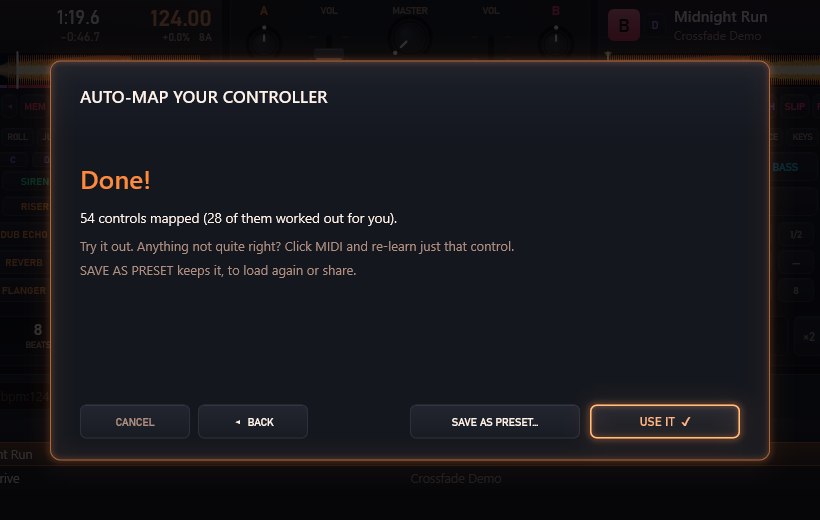
Popular controllers work the moment they're plugged in — lights, jog wheels and the controller's own sound card included. For anything else, AUTO-MAP walks you round your controller one control at a time and works out the rest.

Numark Party Mix / Mixtrack Pioneer DJ DDJ-400 / DDJ-FLX4 Hercules DJControl Inpulse Any MIDI controller via AUTO-MAP
  • Timecode vinyl (DVS) with Serato and Traktor control records
  • A phone remote over your Wi-Fi, PIN-protected
  • MIDI clock out and macros for whole routines on one button
AUTO-MAP finished: 54 controls mapped, 28 of them worked out automatically.
Video & visuals

Ten visualisers.
One very big screen.

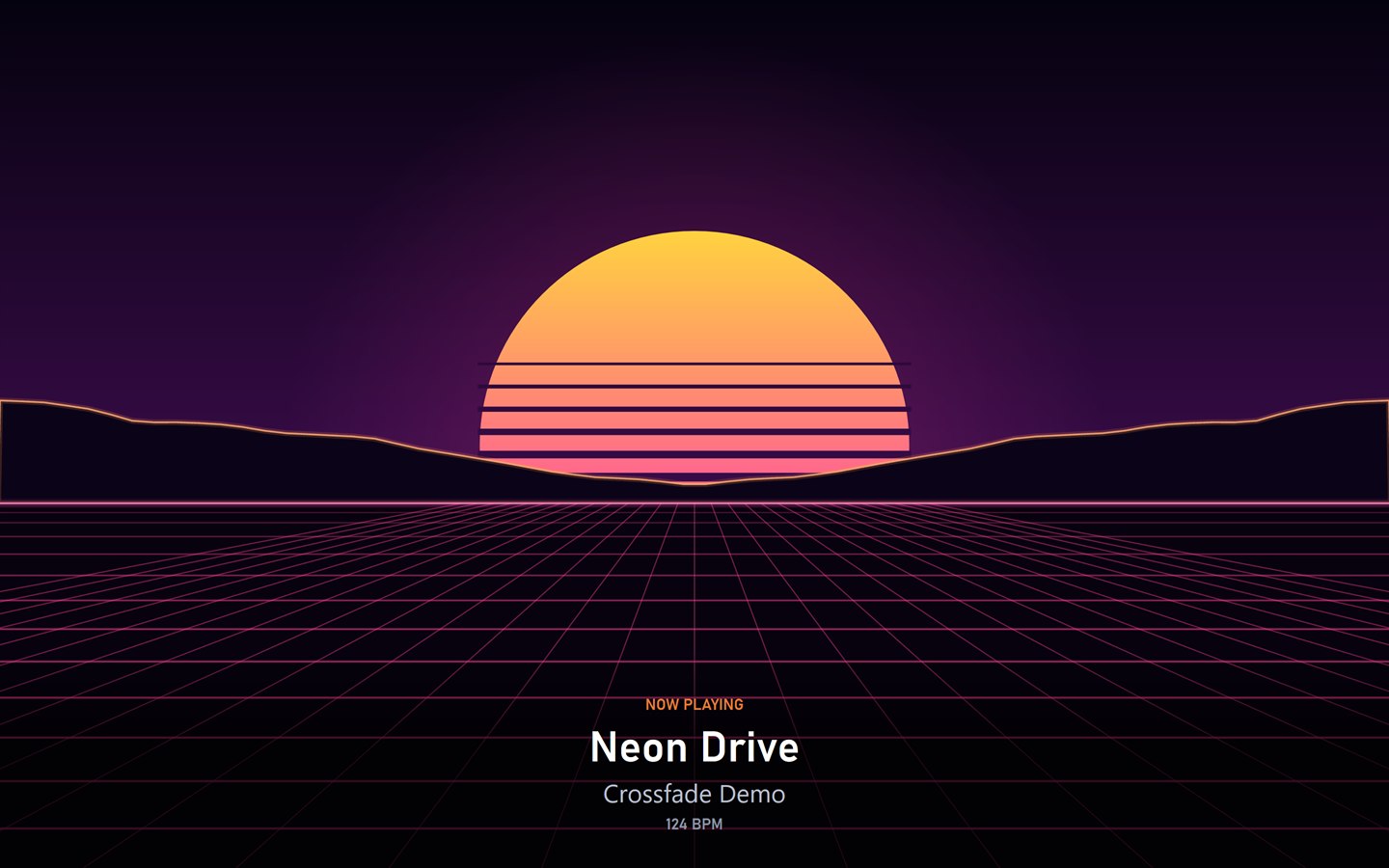
Press F10 and CROSSFADE opens a projector screen that dances to the music, full screen on a second monitor, TV or projector. These are the real thing, captured from the app with one of its demo tracks playing. (The tenth, COVER, puts the track's artwork centre stage.)

The SYNTHWAVE visualiser: a striped neon sun setting over a grid that races to the horizon. SYNTHWAVE
Video mixingMusic videos mix like audio, with six transitions and nine beat-synced effects. No video? The cover and the title take the screen.
Record the showREC can save an MP4 alongside the audio, picture and sound together.
Your singer on screenAt a karaoke night the webcam joins the visuals, with NOW SINGING and their name.
Make it yours

Five themes. Five skins.
Every colour, yours.

Pick a look, or open the skin editor and change every colour on screen. Share it with friends as a .cfskin file.

And then some

The details that make it yours.

Bring your library

Import from rekordbox, Serato, Traktor, VirtualDJ and iTunes — cues, loops and beatgrids included. Export back to rekordbox any time.

AI set builder

Describe the set you want and a local AI (Ollama, on your own PC) picks it from your library, then orders it by key and energy.

Skins & themes

Five colour themes, five skins and a skin editor for every colour on screen. Share yours as a .cfskin file. Three layouts, plus vertical waveforms.

Five languages

English, Español, Deutsch, Português and Français. A new install starts in your Windows language.

Built to be trusted

Your cues are saved safely and backed up every day. New versions are offered automatically, checked before they install, and never interrupt you mid-set.

Talk over the mix

A microphone channel with automatic ducking and voice effects, plus headphone cue, a booth output and support for an external mixer.

Download

Get CROSSFADE. It's free.

No trial, no watermark, no account, no adverts. Just the app.

You'll need: Windows 10 or 11 (64-bit) and speakers or headphones. Recommended: 8 GB of memory and a DirectX 12 graphics card, which makes AI stems much faster (they still work without one).

The installer isn't code-signed yet, so Windows may say it doesn't recognise it. Choose More info then Run anyway. You can check the download against the SHA-256 above.

  1. Download and run the installerIt takes about a minute. Updates later install themselves, when you say so.
  2. Take the one-minute tourTwo demo tracks come with it, so you can start mixing straight away.
  3. Add your musicPoint it at a music folder, or import your rekordbox, Serato, Traktor, VirtualDJ or iTunes library.
  4. Plug in and playA supported controller sets itself up, sound card included.
FAQ

Questions, answered.

Is it really free?

Yes. Every feature on this page is in the free download, with no time limit and nothing locked away. There's no account to create and no adverts.

Does the AI stem separation need the internet?

No. The AI models are installed with CROSSFADE and run on your own PC — nothing is uploaded. With a DirectX 12 graphics card it's much quicker; without one it uses the processor, which takes longer.

Will my controller work?

The Numark Party Mix and Mixtrack, Pioneer DJ DDJ-400 and DDJ-FLX4, and Hercules DJControl Inpulse have ready-made layouts that load when you plug them in. Any other MIDI controller can be set up with AUTO-MAP, which asks you to move each control in turn. Timecode vinyl works with Serato and Traktor control records.

Can I bring my existing library?

Yes: CROSSFADE imports from rekordbox, Serato, Traktor, VirtualDJ and iTunes, including cue points, loops and beatgrids where the other app saved them, and can export to rekordbox.

What audio files does it play?

MP3, WAV, FLAC, M4A/AAC and WMA, plus music videos (MP4, M4V, MOV, MKV) for video mixing and CD+G files for karaoke.

Does it support ASIO?

CROSSFADE uses Windows' own audio system, with a normal mode, a low-latency mode and an exclusive mode that gets latency down to a few milliseconds on most sound cards. ASIO isn't supported.

How do updates work?

CROSSFADE checks JbTecWiz.com shortly after it starts and every six hours (or only when you ask — it's in Settings). It never interrupts you while music is playing, and every download is checked before it installs. More in privacy.

Something's not working — where do I get help?

Start with the support guide. If that doesn't sort it, get in touch — Settings › About › SUPPORT FILES opens the log and any crash reports, which help a lot.