JbTecWiz
  • Home
  • Services
  • Apps
  • Web Apps
  • Tools
  • Downloads
  • Contact
Progressive Web Apps

Web Apps

Full applications that run in the browser. Nothing to install, no account to create, and they work on a phone, a tablet or a desktop — offline included.

2Web Apps
0Accounts Needed
£0To Run
PWAInstallable
Browse The Apps Work With Me
01

Available Now

CAT Sweep Timer

Sweep timing and survey records for utility locators.

Installable Works Offline GPS Logging Also On Play

Times a full four-mode CAT4 sweep and keeps a GPS-stamped record of every survey. Each mode runs for sixty seconds by default, so a complete sweep is four minutes, and the app talks you through it one mode at a time rather than leaving you counting in your head. Built for people working in a trench, which is exactly where the signal goes — so once it is on your home screen it keeps running with no connection at all.

PMode 1 · Power RMode 2 · Radio GMode 3 · Genny AMode 4 · All Scan
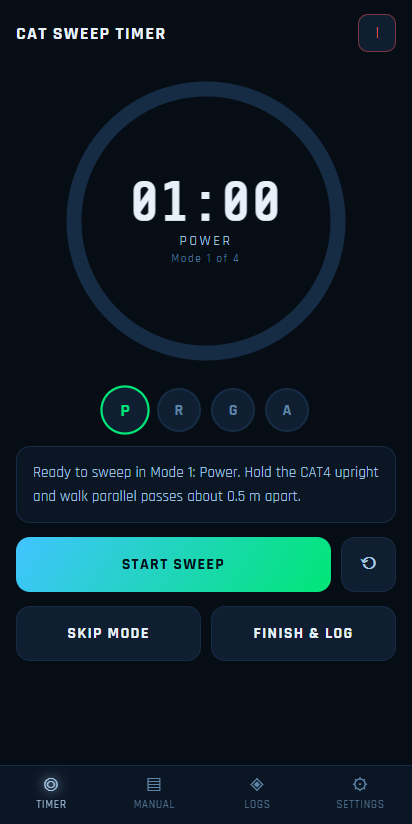
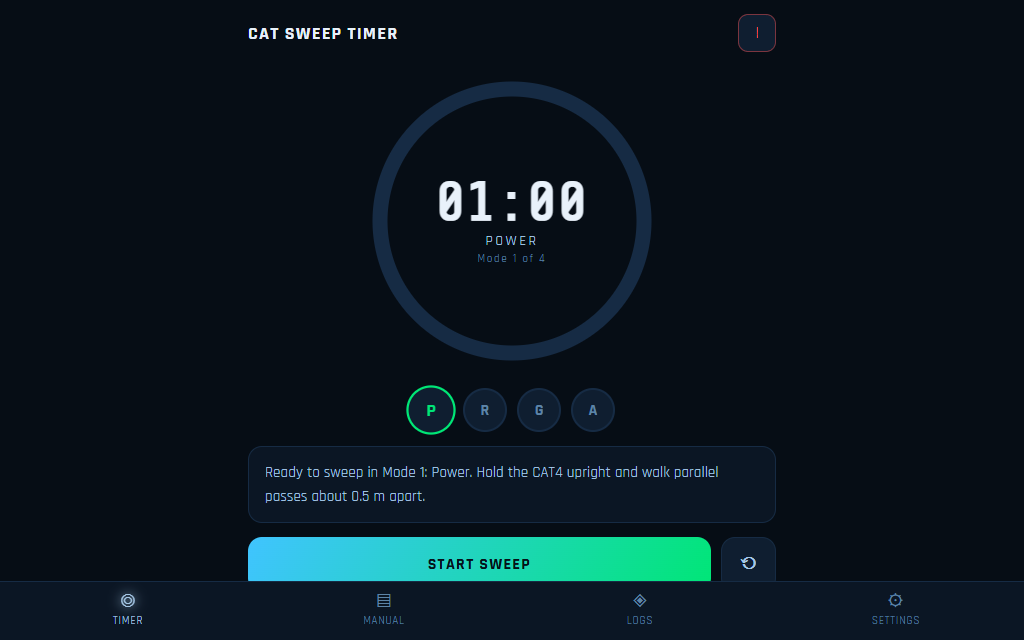
The timer screen counting down mode 1, Power, with the four mode markers below the dial.
Sweep timer
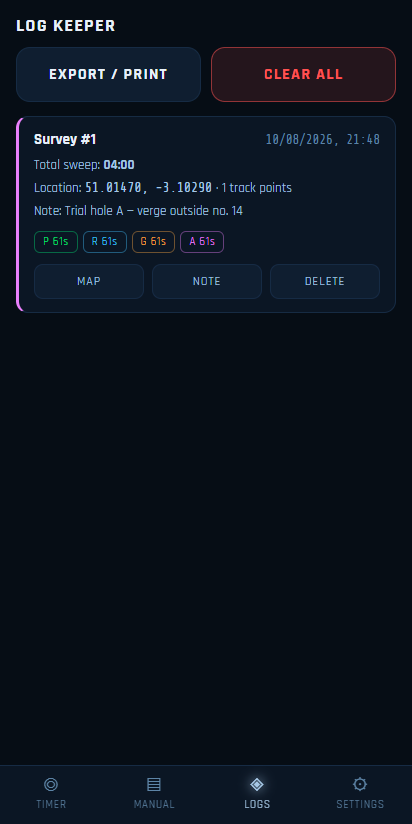
The log keeper listing a completed survey with its total sweep time, coordinates, note and per-mode durations.
Log keeper
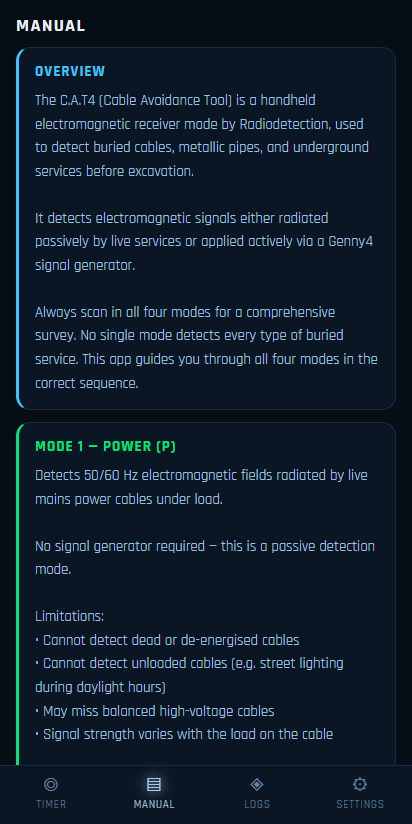
The built-in manual explaining how each CAT4 mode is used.
Built-in manual
The same timer screen on a desktop-width display.
On a wider screen

← Swipe or scroll for more →

⏱ Four-mode timing Power, Radio, Genny and All Scan, stepped through in order with a prompt for each.
📍 GPS-stamped logs Every survey saved with coordinates, track points, timestamp and your own note.
🖨 Export or print Take the whole log off the device when a job needs a paper record.
📶 No signal required Installs to the home screen and runs from cache once it has loaded the first time.
🎨 Four screen themes Navy, Midnight, Forest and Amber, for bright sun or an early start.
📱 Native build too The same app is on Google Play if you would rather install it that way.

Open App Privacy

Nova IPTV

Your IPTV playlist, played in the browser.

Installable M3U & Xtream Favourites & Resume Also On Play

The browser build of the Android player. Point it at an M3U URL, an Xtream Codes login or a local .m3u file and it parses the lot — live channels, movies and series, split by category — into a Smarters-style dashboard, a three-pane browser with search and favourites, and a full-screen player with channel zapping and an aspect toggle. Playlists and favourites are stored in your own browser; nothing is uploaded.

Worth knowing before you try it. Playlists load through this site, because providers do not allow a web page to read them directly. The video itself plays straight from your provider, and that is the part a browser controls strictly: a provider that only serves its own app, or that serves streams over plain HTTP, will not play here. The Android build has no such limit — this is a browser rule, not a missing feature.

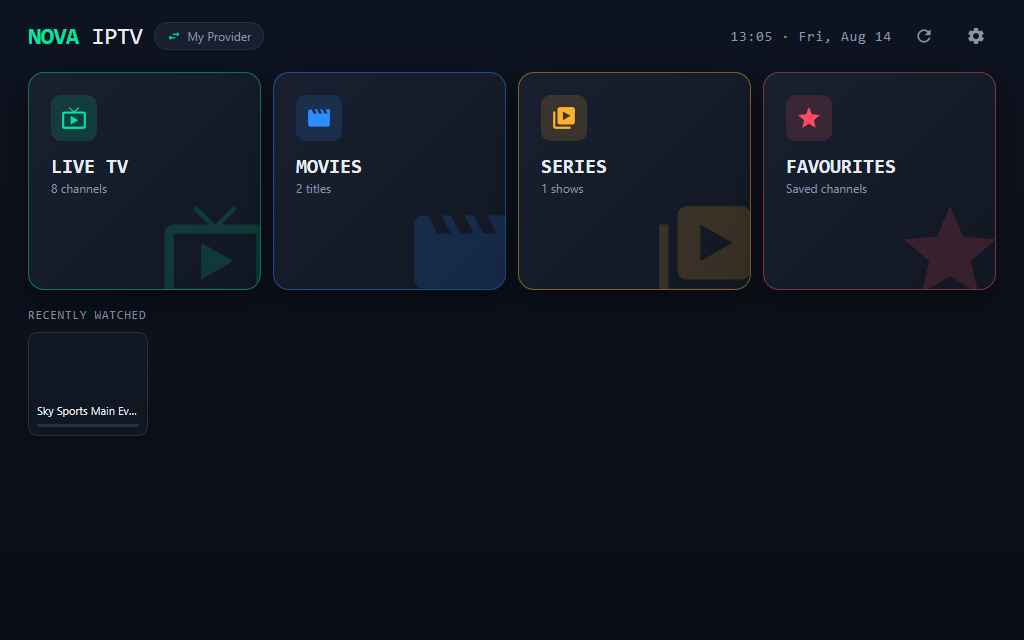
The dashboard with Live TV, Movies, Series and Favourites tiles above a recently watched rail.
Dashboard
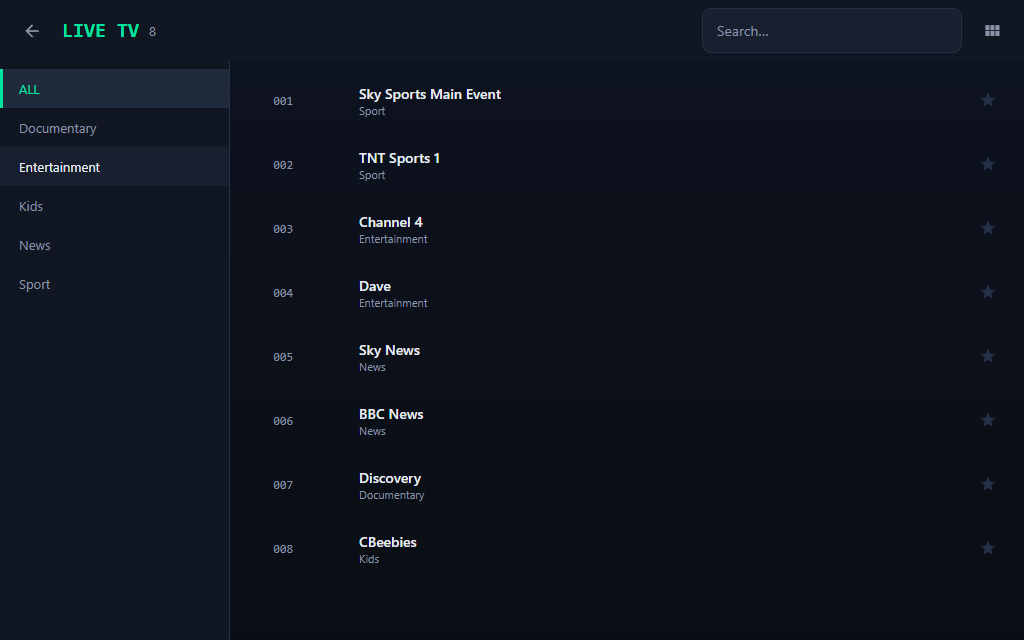
The three-pane browser: categories on the left, numbered channels with logos on the right.
Three-pane browser
Full-screen playback with the in-player channel drawer open for zapping.
Player & channel drawer
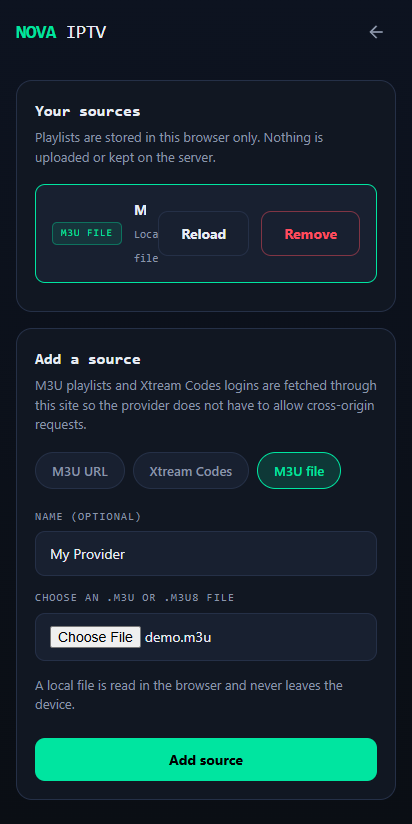
The sources screen, adding an M3U URL, an Xtream Codes login or a local file.
Adding a source

← Swipe or scroll for more →

📄 M3U & M3U Plus Full attribute parsing — tvg-id, tvg-logo, group-title and #EXTGRP.
🔑 Xtream Codes Live, movies and series with their categories, over player_api.php.
🔍 Three-pane browser Categories, numbered channel list and instant search, as on the TV app.
⭐ Favourites & resume Starred channels and continue-watching, kept in this browser only.
📺 Full-screen player Channel zapping, fit/fill/zoom aspect and an in-player channel drawer.
🔒 Nothing kept here Logins and playlists never leave your device; the server only relays a fetch.
Open App Privacy

02

Getting It On Your Phone

Open the link

It runs straight away in the browser. There is no download, no store account and no sign-up.

Add to home screen

Use your browser's Install or Add to Home Screen option. It then gets its own icon and opens full screen, like any other app.

Go off-grid

Everything it needs is cached on that first visit, so it keeps working down a hole with no bars showing.

03

What Counts As A Web App

Everything on this page is a working application, not a page about one. If you are after the Android builds, they are on Apps. Single-purpose utilities like the PC scanner, subnet calculator and hash generator live on Tools.

Want something like this building for your business? Web development and software development are both things I do — or just get in touch.

JbTecWiz

Independent tech services from Jamie Barnes, based in Taunton, Somerset. Computer repairs, web development, networking and remote support.

Quick Links

Home Services Contact

Apps

Web Apps Android Apps Free Tools

Contact Info

📧 JbTecWiz@outlook.com

📞 07535401157

📍 Taunton TA2

© 2026 JbTecWiz. All rights reserved. | Designed & Built by Jamie Barnes