INITIALIZING SYSTEM HOOKS...
ENGINE v3.8 // BIOS CHECK OK
⚡ ELITE ACCESS GRANTED ⚡
1 gamers viewing
|
1,542 total visitors
CPU
35%
GPU
45%
RAM
62%
NET
15ms
FAN
1200rpm
FPS
180

CORESTREAM

> ESTABLISHING SECURE CONNECTION...

OVERVIEW

The Ultimate PC Companion

CoreStream pairs your Android device directly to your PC over local Wi-Fi, transforming your device or tablet into an elite command center.

Live Telemetry: Monitor CPU, GPU, RAM, temps, network latency & in-game FPS in real-time.
Stream Deck: Launch Steam games, trigger complex macros & control media instantly.
Task Manager: View running processes and terminate unresponsive apps without alt-tabbing.

COMMAND YOUR SETUP

Live PC Stats

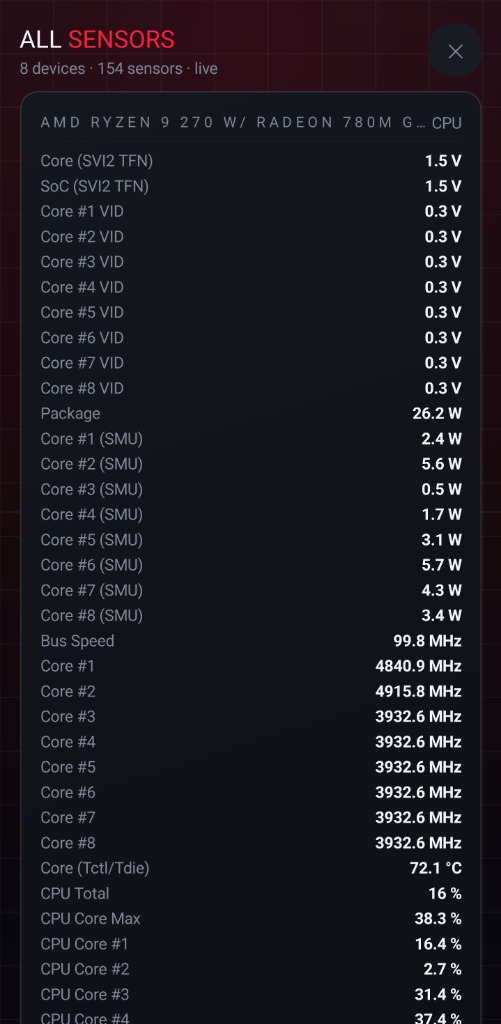
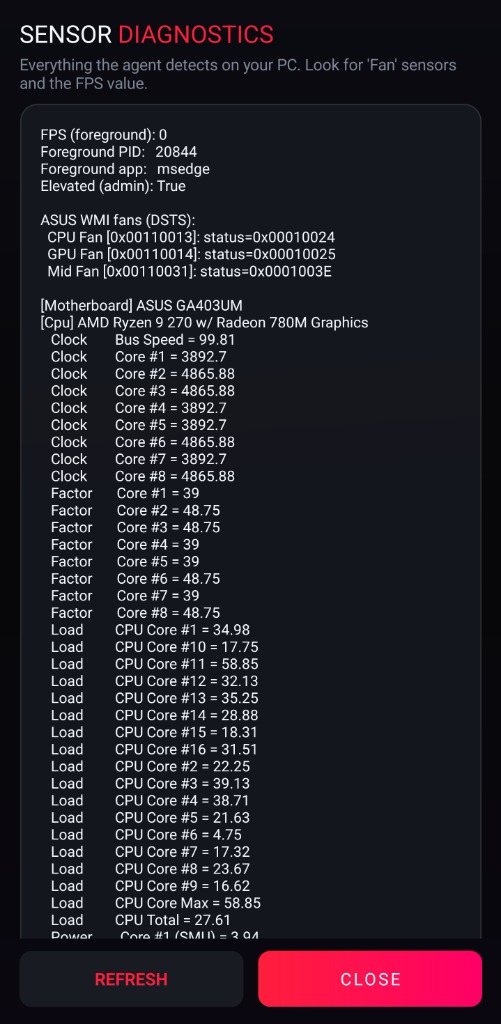
An immersive ROG-style dashboard delivering real-time analytics straight to your hands. Monitor CPU, GPU, RAM, network latency, fan speeds, and in-game FPS with aggressive live-updating radial gauges and scrolling history graphs.
  • Per-core equalizer visualization
  • Real in-game FPS telemetry via ETW
  • Drag-to-reorder, resize & hide widgets
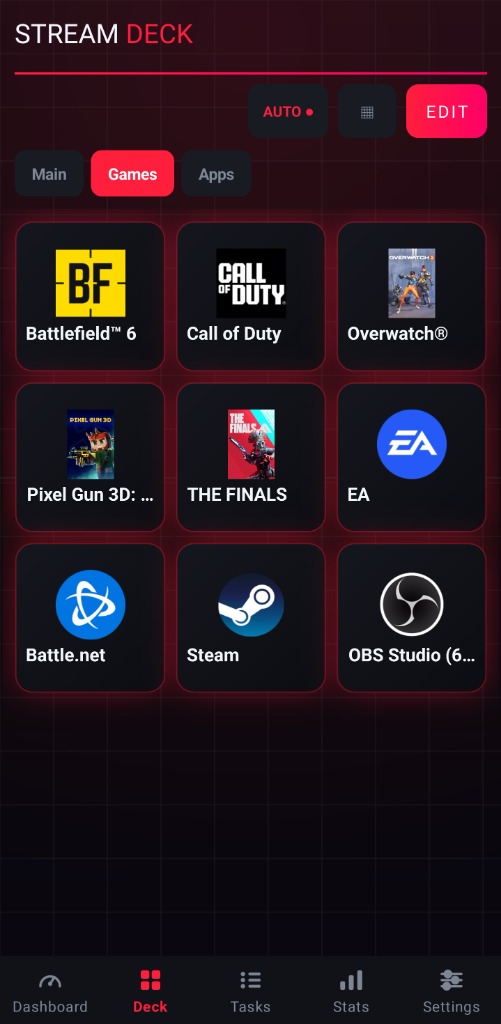
Stream Deck Games Controller
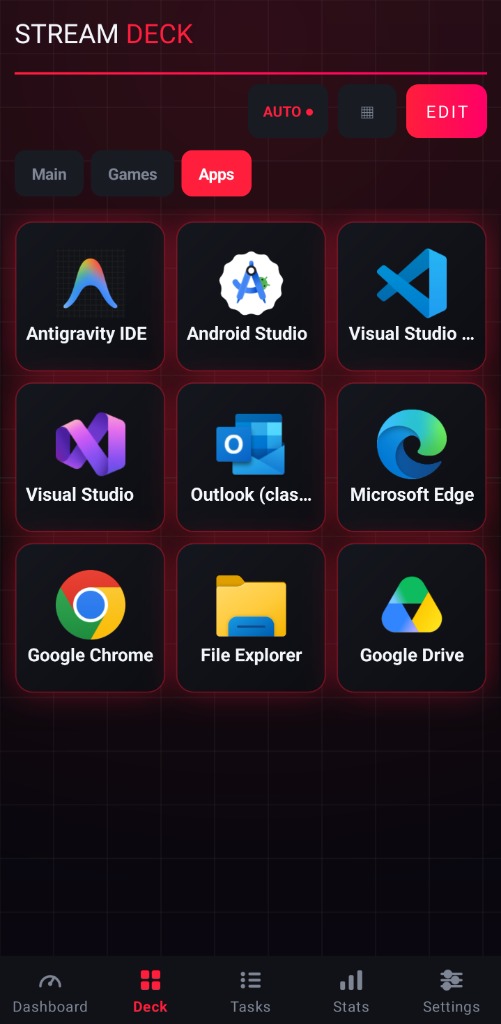
Stream Deck Apps Controller

Stream Deck

Turn your device into a powerful, tactile control center. Launch applications, execute complex hotkeys, control media playback, and manage your streams instantly without interrupting your gameplay.

  • Fully customizable action grids
  • Instant Steam game launcher with icons
  • Auto-switching deck profiles per game
SUPPORTED LAUNCHERS
Steam
EA App
Battle.net
Epic Games
Xbox
Ubisoft

Task Manager

View and manage running processes directly from your device. Monitor CPU and RAM usage in real-time and terminate unresponsive applications without alt-tabbing out of your game.
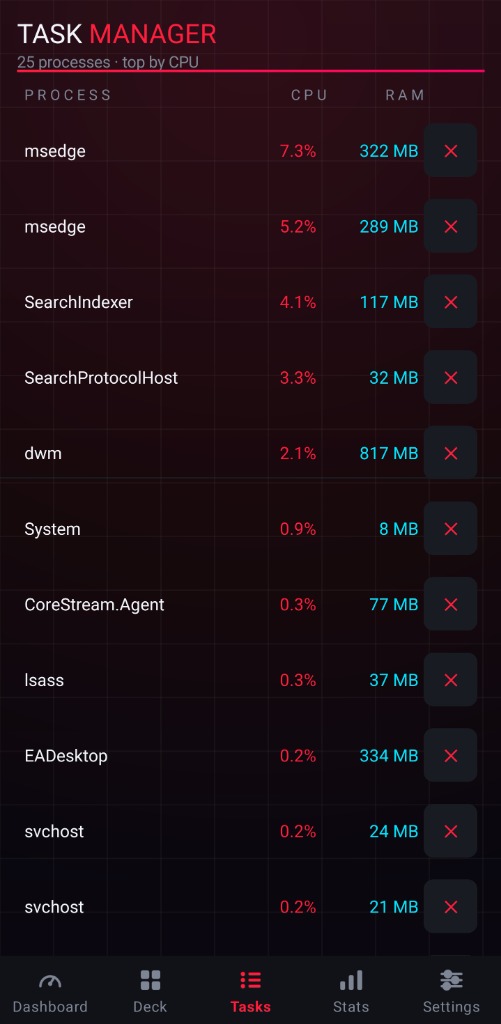
  • Live process monitoring sorted by usage
  • One-tap process termination
  • CPU & RAM metrics per process
Task Manager
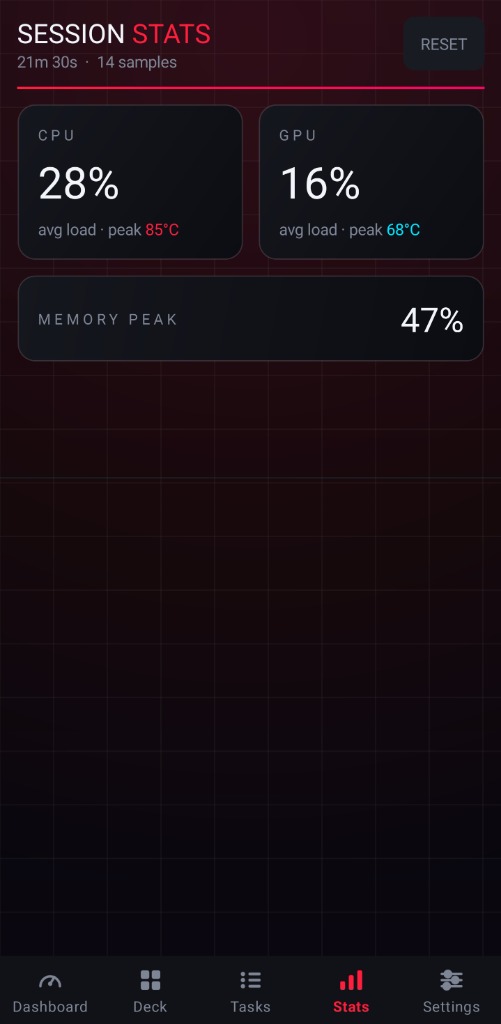
Session Stats

Session Stats

Track your entire gaming session with detailed performance analytics. See average FPS, 1% lows, peak frame rates, and hardware utilization over time with beautiful live graphs.

  • AVG / 1% Low / Max FPS breakdowns
  • CPU & GPU load with peak temps
  • Memory peak usage tracking

Windows Agent

The lightweight CoreStream PC Agent runs silently in your system tray, providing a sleek dashboard to manage device pairing and monitor local hardware sensors directly from your desktop.

  • Ultra-low resource usage
  • Secure local network pairing
  • Native hardware telemetry
Logo
CORESTREAM
AGENT v1.0.0
CONNECT FROM DEVICE
http://192.168.2.137:5005
JAMIES-ROG 4 PAIRED
CPU
20
%
GPU
0
%
MEMORY
60
%
FPS
fps
🎨

Custom Themes

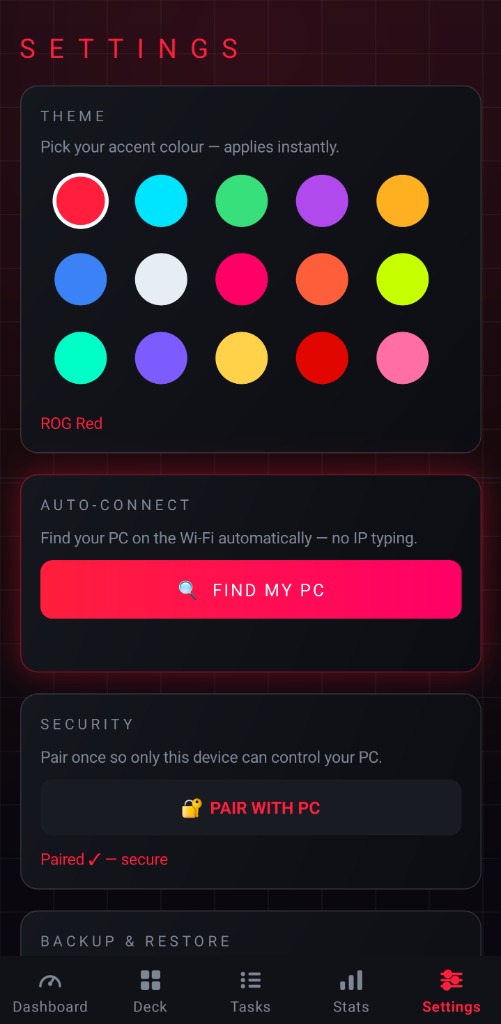
Choose from 7 stunning accent colour themes — from ROG Red to cool blue. Your interface adapts instantly to match your gaming aesthetic.

🔒

Secure Pairing

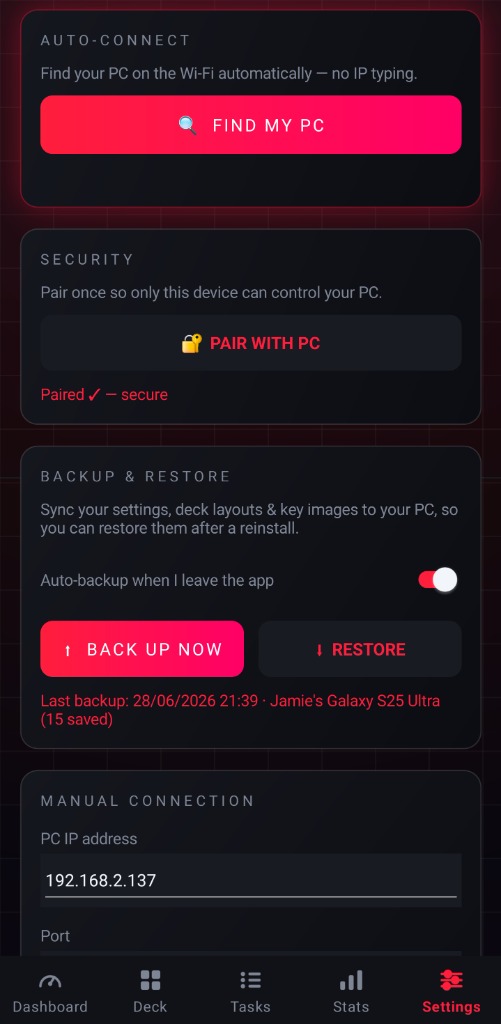
PIN security ensures only paired devices can control your PC over the local Wi-Fi network. Safe, secure, and blazing fast.

🤖

Auto Discovery

No IP typing required. The app automatically finds your PC on the Wi-Fi network for a seamless zero-config setup.

How It Works

CoreStream operates over your local home network, ensuring lightning-fast response times and absolute privacy.

📱
ANDROID
CoreStream App
SENDING COMMANDS
LOCAL NETWORK
GET /api/metrics POST /api/launch
~2ms LATENCY
🖥️
GAMING PC
CoreStream Agent
● ONLINE
0
Core Features
0
Color Themes
0
Latency
0
Custom Macros

Get CoreStream Today

1. PC Agent

The lightweight server that reads your sensors and executes commands. Includes an easy setup wizard.

0
ACTIVE GAMERS DEPLOYED
Download for Windows

Requires Windows 10/11 (Administrator rights required for full sensor access)

🛡️
Windows Defender / Antivirus Notice: Because CoreStream accesses native hardware telemetry and low-level system sensors, Windows Defender or some antivirus software may incorrectly flag the installer as unfamiliar or dangerous. CoreStream is 100% clean, secure, and open for inspection.
Logo
CORESTREAM
AGENT v1.0.0
CONNECT FROM DEVICE
http://192.168.2.137:5005
JAMIES-ROG 4 PAIRED
CPU
20
%
GPU
0
%
MEMORY
60
%
FPS
fps

2. Android App

BETA TESTING

The remote dashboard and command center is currently in closed beta! To deploy the app, follow these two quick steps:

STEP 1

Join our official test lab community

👥 JOIN GOOGLE GROUP
STEP 2

Opt-in to download the test release

BECOME A TESTER
⚠️

GOOGLE 14-DAY TESTING REQUIREMENT & CHECKOUT NOTE

To achieve official public launch on the Google Play Store, testers must keep the app installed and test continuously for 14 consecutive days. If testing lapses, the official release will be delayed. Join the squad and help us reach full deployment!

💳
ZERO-COST BETA CHECKOUT: Because CoreStream is configured as a premium paid app upon final release, Google Play will present a checkout screen. You will NOT be charged for beta testing. Simply continue through the checkout as if buying the app—Google provides an automated Test Card that always approves instantly for free!

Requires Android 10.0+ (Must join Google Group first for tester link to activate)

Community Deck Layouts

Share your custom Stream Deck layouts with the world or rate setups from other elite gamers. No accounts required!

LOADING COMMUNITY LAYOUTS...

Gamer Reviews

Real feedback from deployed CoreStream users. Leave your review freely below!

LEAVE A REVIEW

LOADING GAMER REVIEWS...

Troubleshooting & FAQ

How do I pair my device to my PC?

Install the CoreStream PC Agent and the Android app. Both devices must be on the same Wi-Fi network. Open the app, tap "Connect", enter the PIN shown on the PC Agent, and you're paired instantly. The app auto-discovers your PC — no IP typing needed.

🌐Does CoreStream work over the internet?

CoreStream is designed for local Wi-Fi only — this ensures sub-2ms latency and complete privacy. Your data never leaves your home network. No cloud servers, no accounts, no tracking.

🛡️Why does the PC Agent need administrator rights?

Admin rights are needed to read low-level hardware sensors (CPU temps, GPU utilisation, fan RPM) via WMI and OpenHardwareMonitor libraries. Without admin, some sensor data may be unavailable.

🎮Can I use CoreStream on multiple devices?

Yes! You can pair up to 10 Android devices simultaneously. Each device gets its own PIN-secured connection and can run independent dashboard views or Stream Deck layouts.

📊How does the FPS counter work?

CoreStream uses Windows ETW (Event Tracing for Windows) to capture real in-game frame presentation times. This gives you accurate, real-time FPS readings for any DirectX or Vulkan game without overlays or hooks.

🔋Does it drain my device battery?

CoreStream is optimised for minimal battery impact. The dashboard refreshes at a configurable interval (default 1 second) and uses efficient HTTP polling. On average, expect less than 3% battery per hour of active use.

💻What are the system requirements?

PC: Windows 10/11 with .NET 6 runtime. Android: Version 10.0 (API 29) or higher. Both devices must be connected to the same local Wi-Fi network. The PC Agent uses less than 30MB of RAM.

Patch Notes

June 2026
v1.0.0 — INITIAL DEPLOYMENT
  • NEW Live PC telemetry dashboard with 6 gauge types
  • NEW Customisable Stream Deck with multi-page layouts
  • NEW Remote Task Manager with process termination
  • NEW Session stats tracking (FPS, temps, memory)
  • NEW 7 accent colour themes
  • NEW PIN-secured device pairing system
June 2026
v0.9.0 — BETA RELEASE
  • NEW Steam game library integration with auto-icons
  • NEW Auto-discovery of PC Agent on local network
  • FIX GPU temp readings on AMD Radeon cards
  • PERF Reduced polling overhead by 40%
May 2026
v0.8.0 — ALPHA
  • NEW Core architecture and HTTP API server
  • NEW Basic dashboard with CPU, GPU, RAM gauges
  • FIX Network latency spikes on reconnect