Free wallpapers

Wallpapers

Indexing collection_

0
Wallpapers
0
4K & Above
£0
Every Download
New · Free for Windows 10 & 11

Every wallpaper, one click away.

JbTecWiz Wallpapers puts this whole collection on your PC. Pick one and it's on your desktop, or let it shuffle a fresh one on its own.

  • Set a wallpaper in one click
  • Shuffle every 15 minutes up to once a day
  • A different wallpaper on each screen
  • Favourites, search and 4K filter
  • New wallpapers appear as I add them
  • No account, no adverts, no admin rights needed
Download for Windows Version 1.0 · 61 MB · Windows 10 & 11 (64-bit)
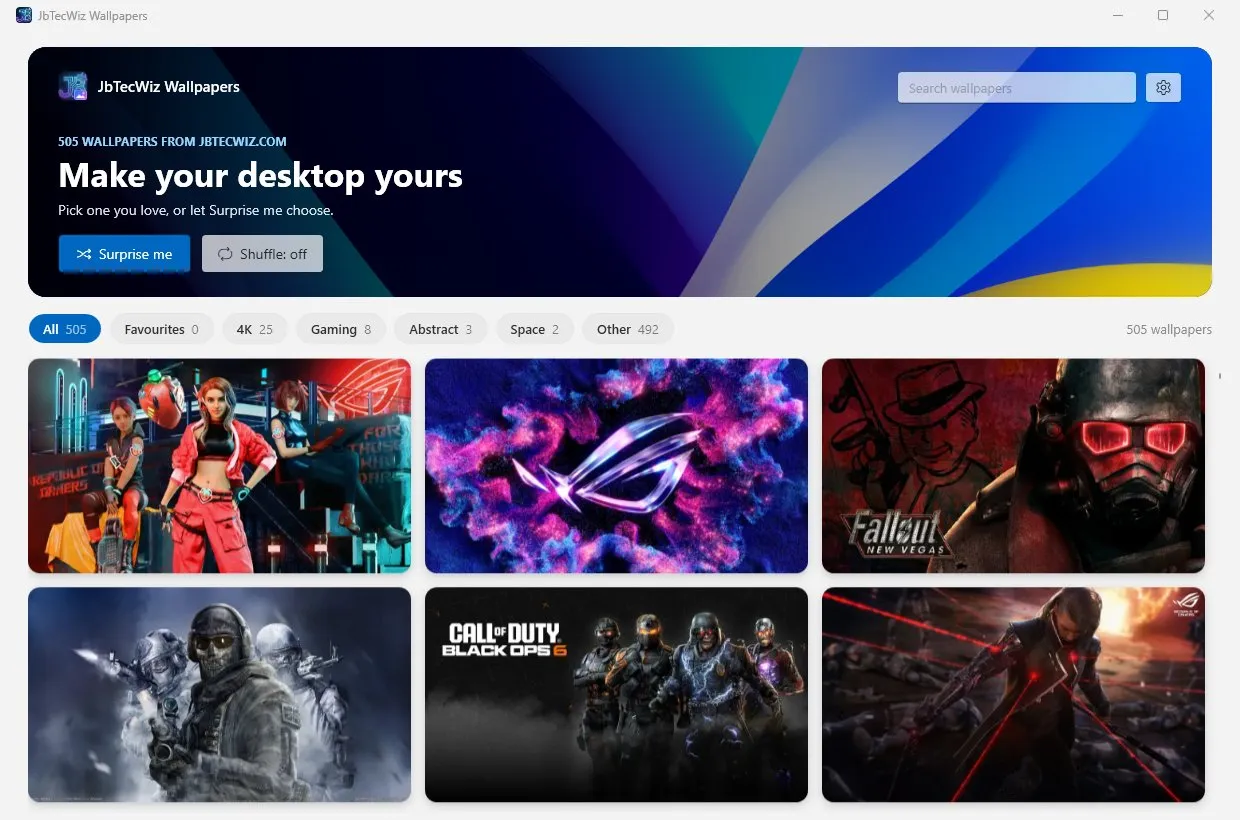
The JbTecWiz Wallpapers app: a banner showing the current wallpaper, filter pills, and a grid of wallpapers to choose from.

Your download has started

JbTecWiz-Wallpapers-Setup.msi · 61 MB

Windows may double-check it first. JbTecWiz Wallpapers is new and made by a small independent developer, so Microsoft SmartScreen hasn't seen it many times yet. You might get a blue Windows protected your PC box. That's normal for new apps, and it's safe to carry on.

  1. 1
    Open the file

    Click the download in your browser. If the browser says it isn't commonly downloaded, choose Keep.

  2. 2
    Click “More info”

    On the blue box, it's the small link under the message.

  3. 3
    Click “Run anyway”

    The app's name appears. Run it, and the installer opens.

  4. 4
    Install and enjoy

    No admin password needed. Tick “Open JbTecWiz Wallpapers now” and pick your first wallpaper.

No account, no adverts, nothing collected. Remove it any time from Settings › Apps.

Category
Quality

Every wallpaper here is free, no sign-up, no watermark. If one saved you a search, coffee helps.

Buy Me a Coffee